Smartsheet
2021
Form Builder
A reimagining of how people build Smartsheet forms. Using a canvas-style builder, users intuitively create beautiful web forms.
About Smartsheet
Smartsheet is a modern work management platform that empowers companies of all sizes to scale and deliver value as business requirements evolve. At Smartsheet, there are generally three types of users:
Process Owners - they are responsible for a process or project. That may include data capture, modification, reporting, automated actions, and sharing.
Collaborators - these users consume the solutions. They might complete data update requests, fill out forms, leave comments, or edit assets. Collaborators do not need to have a Smartsheet account.
System Admins - They set up the accounts, manage teams and roles, and establish enterprise policies.
Project Background
Smartsheet Forms allow Process Owners to collect tens of thousands of data entries from Collaborators. Unlike typical webforms, Smartsheet Forms connect to the data schema of an underlying “sheet.” This introduces a layer of complexity beyond traditional forms tools, but enables customers to create solutions that other web form products cannot.
This project was not originally on the company roadmap, but a few of us on the Forms team had identified several issues and opportunities to improve forms during the course of regular feature work. The existing builder had served its original purpose, but the product outgrew its own space as we added more and more features. We ran a week-long design sprint to explore what we could achieve in the forms space if we went back to the drawing board with our approach to building forms. The idea was to get away from band-aid fixes, and to provide a long-term path for product growth, while solving customer pain points and expanding our potential target users.
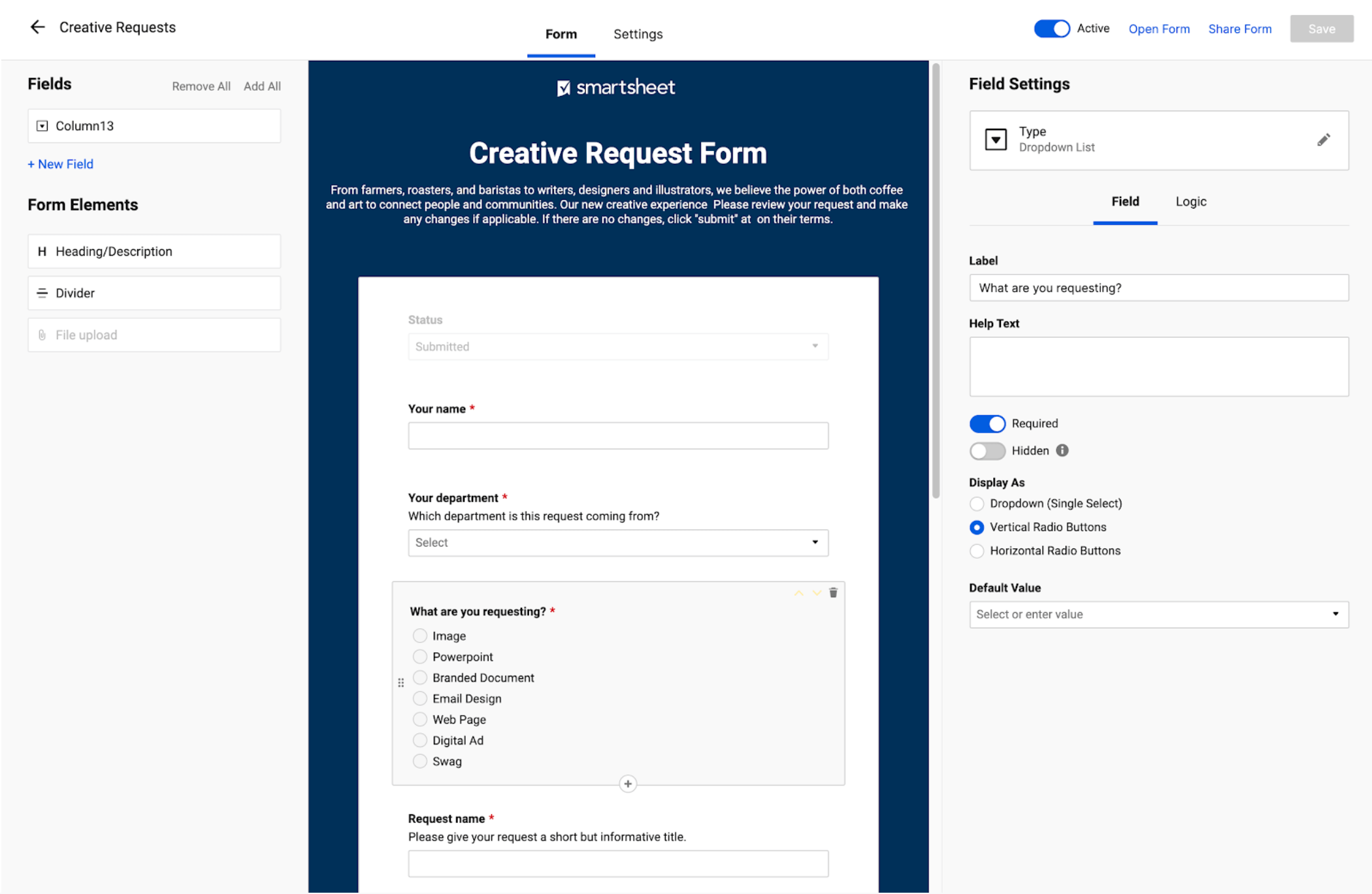
Original form builder
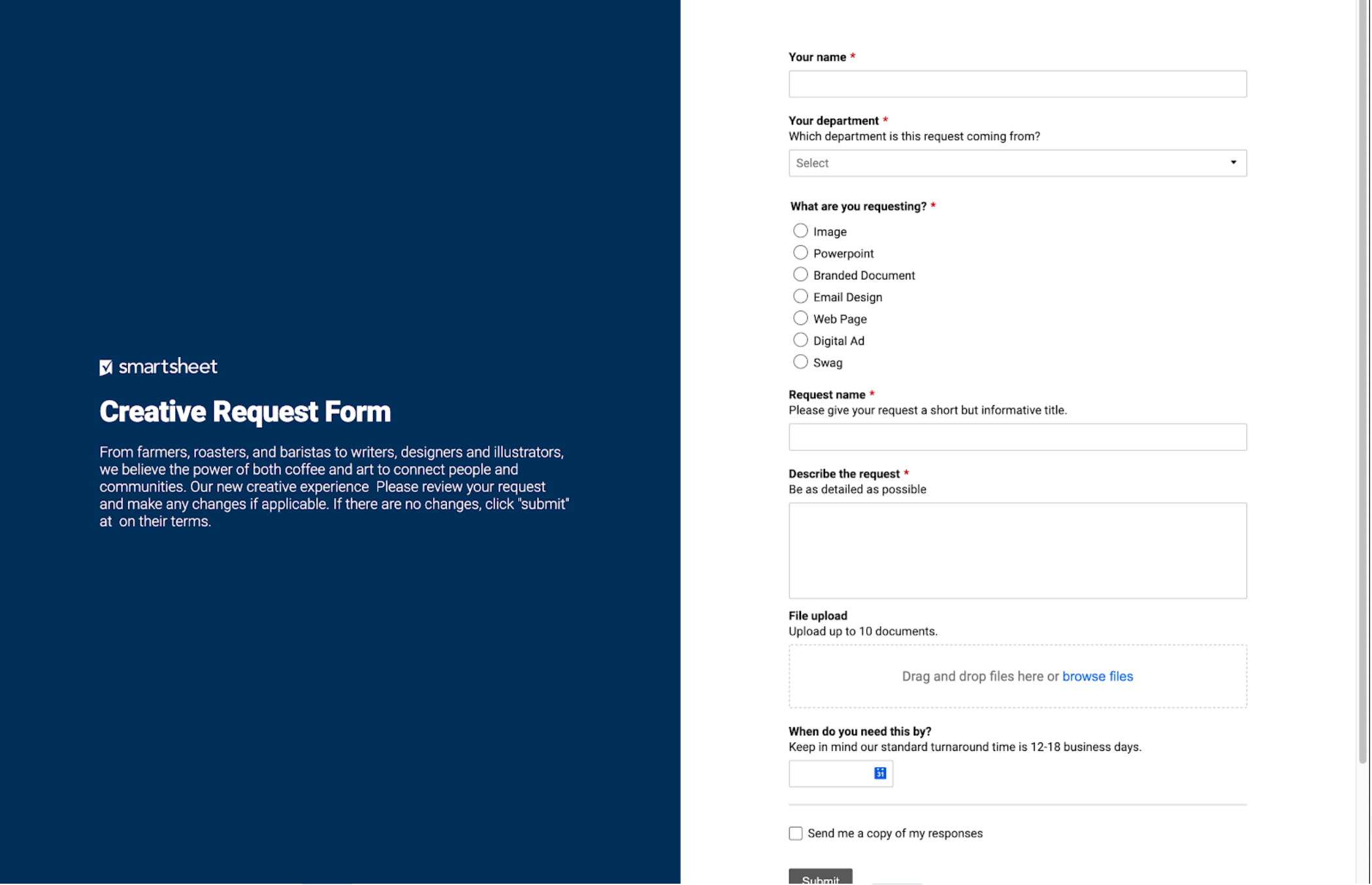
Original rendered form
Gathering insights
To begin, we looked at recent user interviews study we had focusing on marketers, product usage data, and feature requests to build up a list of key themes. We also identified an opportunity to align with an org OKR; Be more attractive to the marketing industry and conducted user interviews to understand their persona and use cases. These insights provided the basis for much of the framing the problem exercise that we ran. In an effort to maximize our efficiency and impact, we forged ahead using those insights, with the goal of having new concepts to validate with users, as well as a new interaction model to validate via usability tests.
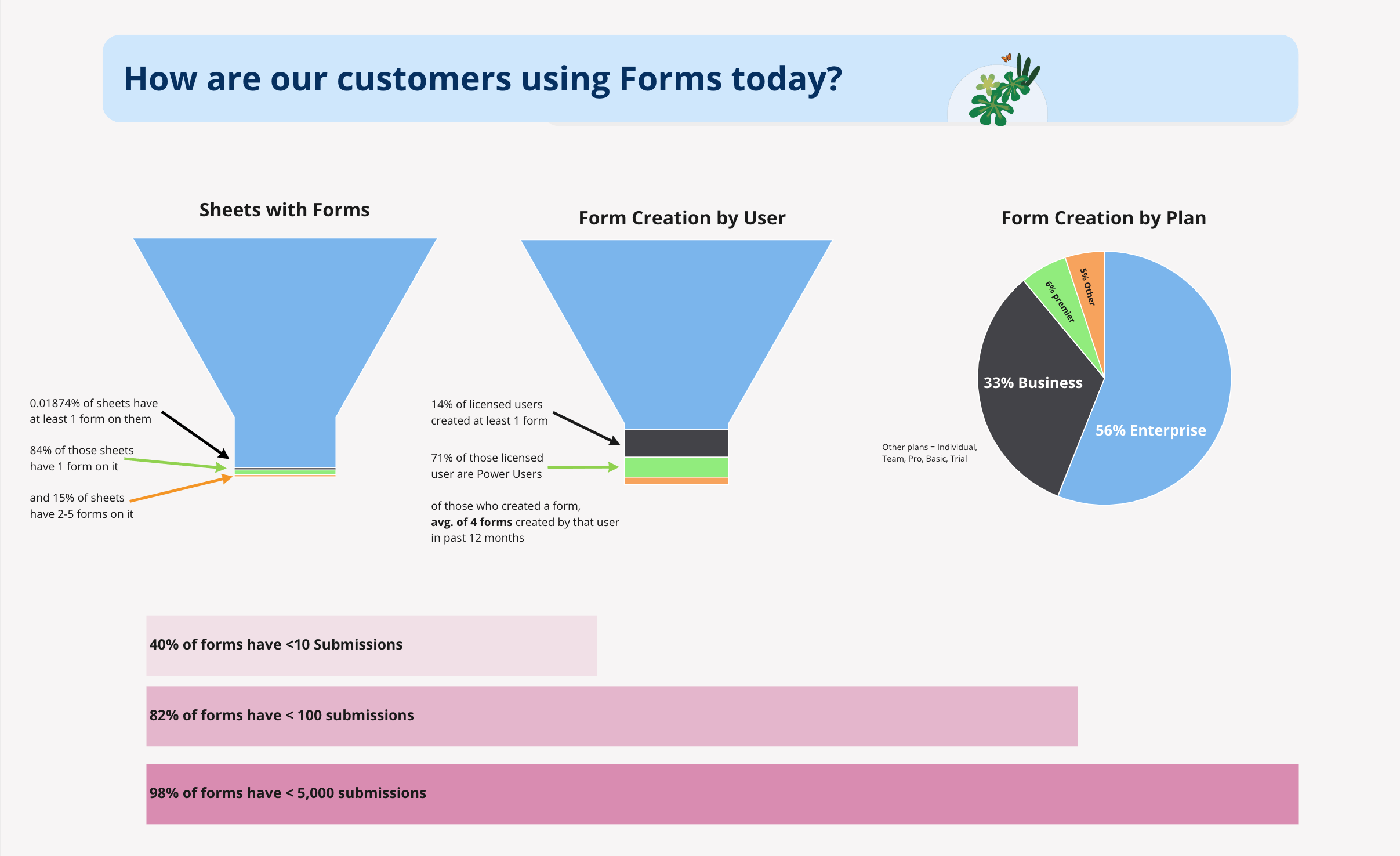
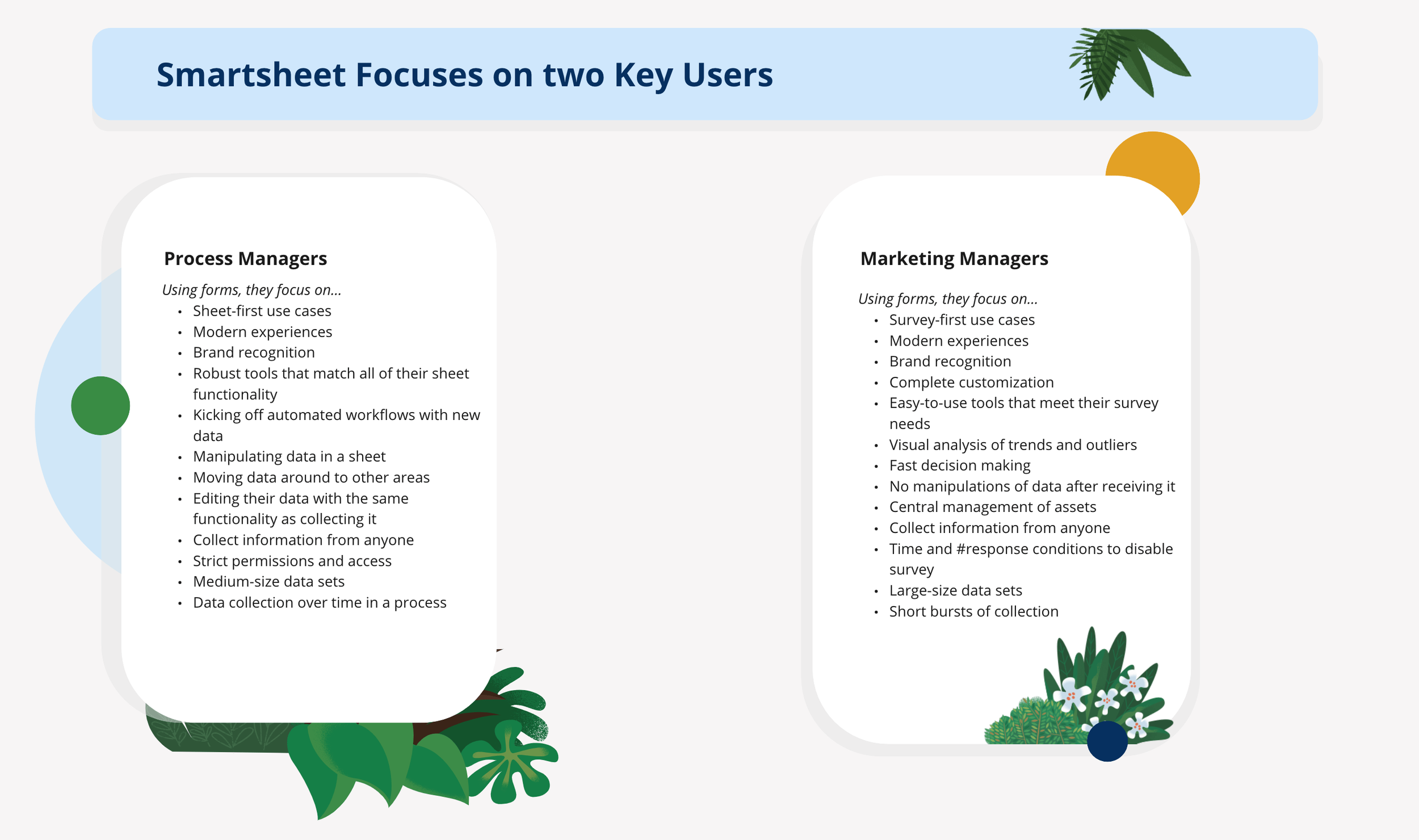
User journey mapping
Because our team’s focus was on the form builder itself and several problems and opportunities we identified were outside of our product area and scope. I made sure to share our findings with the respective teams, like Search & Navigation, Create, and Insights teams. I created shared journey maps of current state experiences so other teams could empathize and see if we could get them to add some stories to their roadmap.
Framing the problem
Every feature UX works on at Smartsheet starts with a “Framing the problem” document. We use the document to:
Consider user needs as well as business goals
State our intended impact and potential risks
List our assumptions
Ask what we don’t know yet
Define our context and constraints
The key takeaways defined were
There is a disconnect between the form building tools and where the form actually gets built, with UI needed for one task being split between a few locations.
Builders lack the confidence in the visual output of the forms they are building.
Our forms lack key abilities to preview and utilize design features to customize their forms, especially in the marketing vertical.
We also had a few hypotheses based on our customer insights
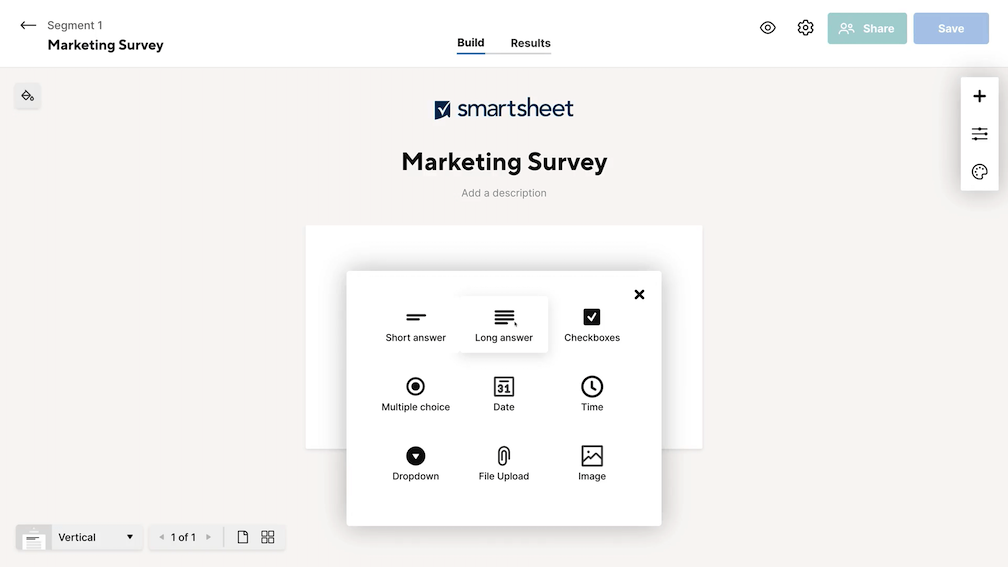
A clean, contextual canvas editor would not only simplify our interaction model, it would provide space to add future enhancements to the product.
Allowing for more visual customization will unlock new use cases, especially in the marketing vertical.
A builder that looks like the final form would help install confidence int he form creator, and reduce user errors.
Problem statement
Many of our customers associate our forms with internal business process’, and don’t consider us for other use cases. Instead, customers turn to using other forms tools to accomplish things that our builder either can’t do, or they just think it’s not meant for. For current customers and potential customers, a lack of certain forms features, like validation, custom branding and response analytics, pushes them towards other forms solutions.
Defining our vision
Our overall vision for the new builder was to alleviate customer pain, add new value, and position Smartsheet as a key player in the web form space, by delivering a seamless, beautiful, and expected, experience when creating forms. We set out to make Smartsheet’s form builder the preferred form builder for internal and external use and for a more expansive set of use cases.
Key results we targeted
Less customers will leave the Smartsheet ecosystem to create forms.
Higher usage rate in the marketing segment.
Higher SUS scores for the form builder experience.
Less support cases (requesting capabilities that already exist).
Less time spent adding / configuring fields and setting up logic.
Ideation
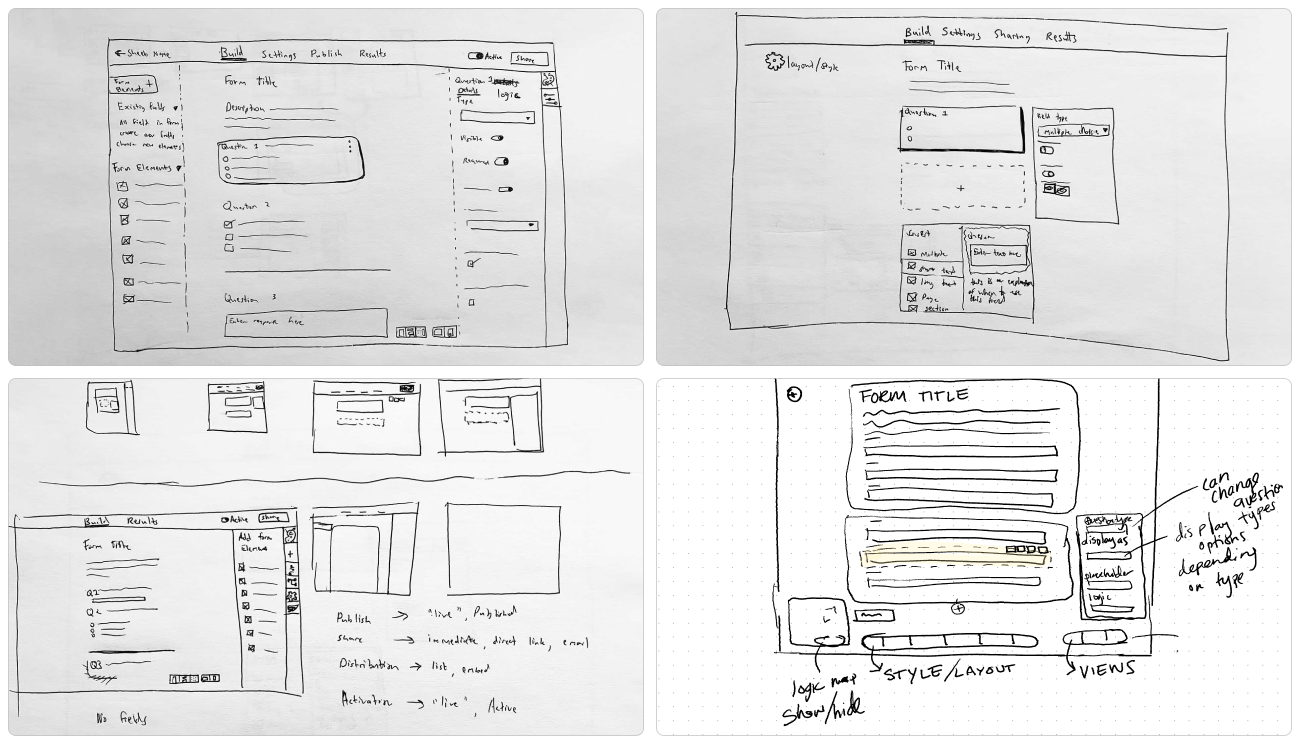
We spent the rest of our initial sprint week running through the rest of the activities of a classic Google Ventures style design sprint. After pouring over the research, framing the problem, and discussing at length our overall goals, we began by rapidly sketching numerous ideas and directions. We used exercises such as crazy 8’s and 3 panel storyboards to concept around the form building experience. We evaluated each solution and idea, taking the best of each, and ultimately coming up with three variants that identified as viable paths forward. Again for the sake of time and making an impact quickly, we opted to find common ground to build two prototype variants.
Concept Testing
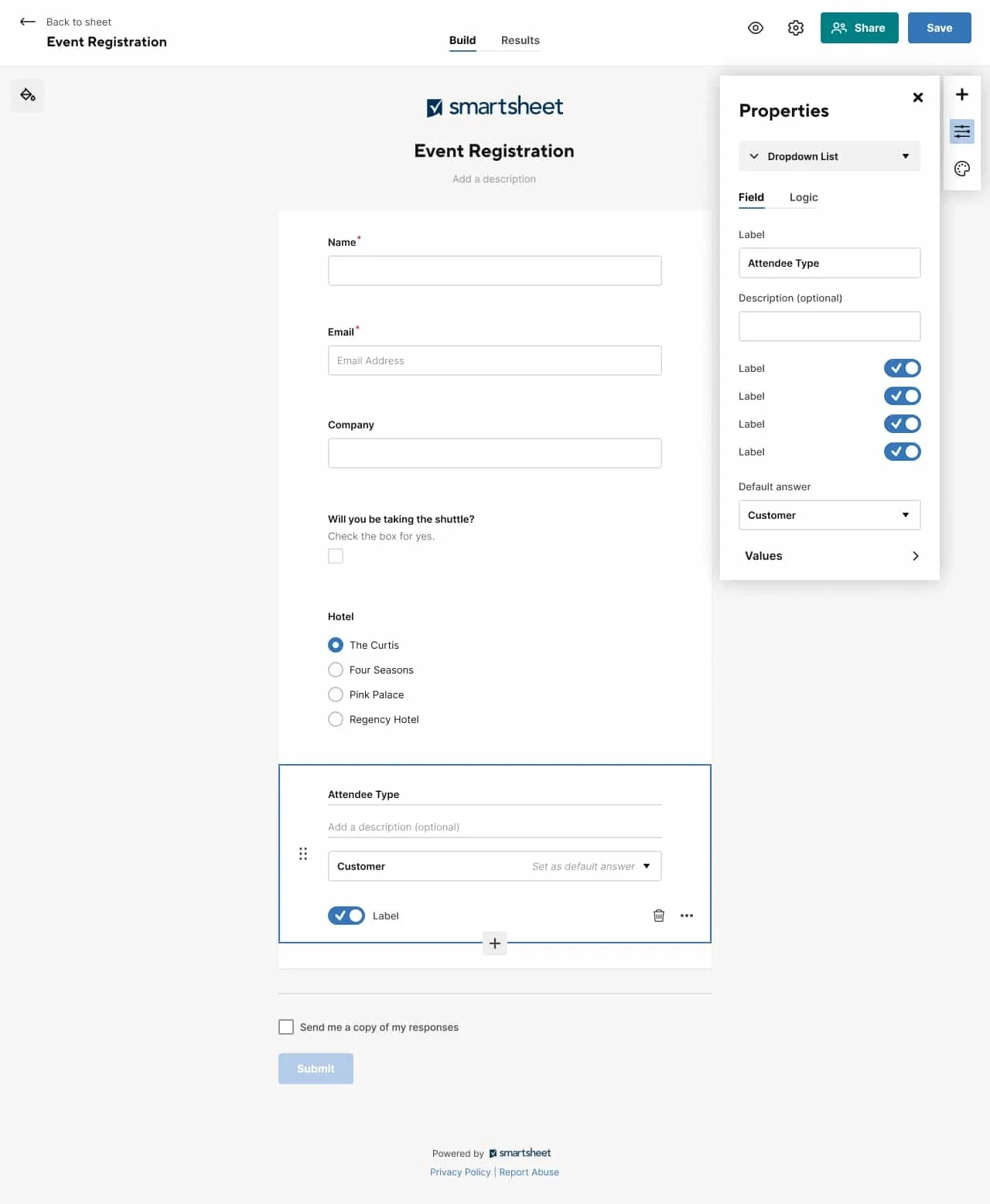
To get the results and data we needed from testing, I built a highly functional prototype that worked as the real builder would. This quality allowed allowed us to ask our users to complete multiple tasks organically as somebody using the built product would. With he high quality of the prototype, we got the accurate data we needed to move our designs forward and iterate from our initial take. We tested with 9 users, with differing levels of experience in Smarthseet and other forms tools. They were all able easily complete all 11 tasks in the test, and had an increased satisfaction over the current experience in terms of features and ease of use. The concept resonated particularly well with users who were familiar with other form builders as well as the original Smartsheet form builder. They noted it was a game changer for Smartsheet Forms, and they would be likely to adopt the new form builder for more of their web form needs. The feedback speaks for itself:
“Compared to other tools I’ve used, this user experience was easier. It made more sense. You can see what it’s going to look like. You don’t need to teach someone, they can figure it out all on their own.”
Getting Buy-in
We shared our initial results with the product team, and put together a UX review to bring the design work and finding to our executive stakeholders for review. We provided a breakdown of the step by step path to our north star vision, through incremental releases that would provide customer value and move our UI towards the end goal.
The review was so successful, our executives ask for an immediate engineering estimate and investigation of what it would take to put this at the top of our roadmap.
After working cross collaboratively with the PM and Engineering Manager, we were given the green light on the project, and given the budget and resources to build a team around delivering the feature at top priority. From there, we began diving deep into designs and iterations, bringing us from concept level thinking through to full fidelity.
Design iterations
During the full design cycle, we worked through several variants of the controls and the smaller scale interactions, testing iteratively until we had a design that tested well for usability as it had in concept testing.
Usability Tests
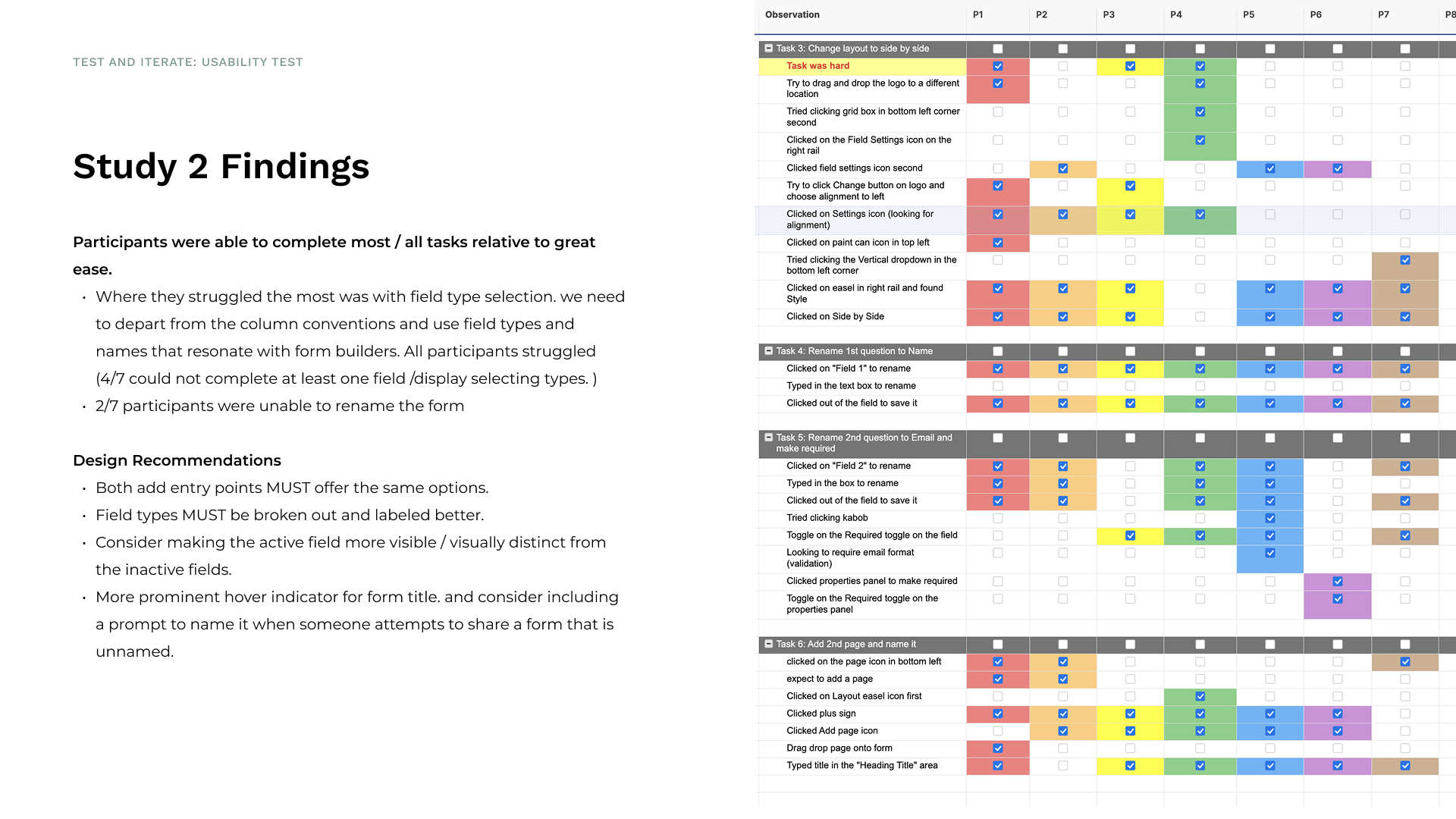
While I iterated on a worked through the design details, we ran multiple usability studies to validate each component of our design work. We looked at everything from how people add new questions, and edit the settings of those questions, to how they would build logic and see that represented, to how they configure the visual styling of their forms, and how they send them to recipients and track results. During this phase, our goal was to fold: to validate the usability of the feature and also to continually validate the entire concept with more and more users. After each test, we continued to confirm we were on the right track, building a feature that not only was easy to use, but gave users meaningful utility for their forms use cases.
Final Design & Specs
Outcome and Next Steps
During the iterative process, I contributed new design patterns and components to Smartsheet’s design system. We defined a new interaction model for canvas style builders across the Smartsheet platform. Our initiative has helped to not only improve the forms experience, but consolidate how people use Smartsheet across pillar areas, in horizontal solution building that spans multiple features, so they are provided with a seamless, consistent, and easy to learn experience. The design patterns have already proven themselves out in further testing on that feature.